
Disruptions & system status – How can I view the current system status of MOBIKO?
Are there any known disruptions at present?
If there are any restrictions, we will always keep you informed about our current system status in a transparent manner.
Where can I view the current status?
You can find all important information at any time on our status page:
➡️ https://status.mobiko.net/status/default
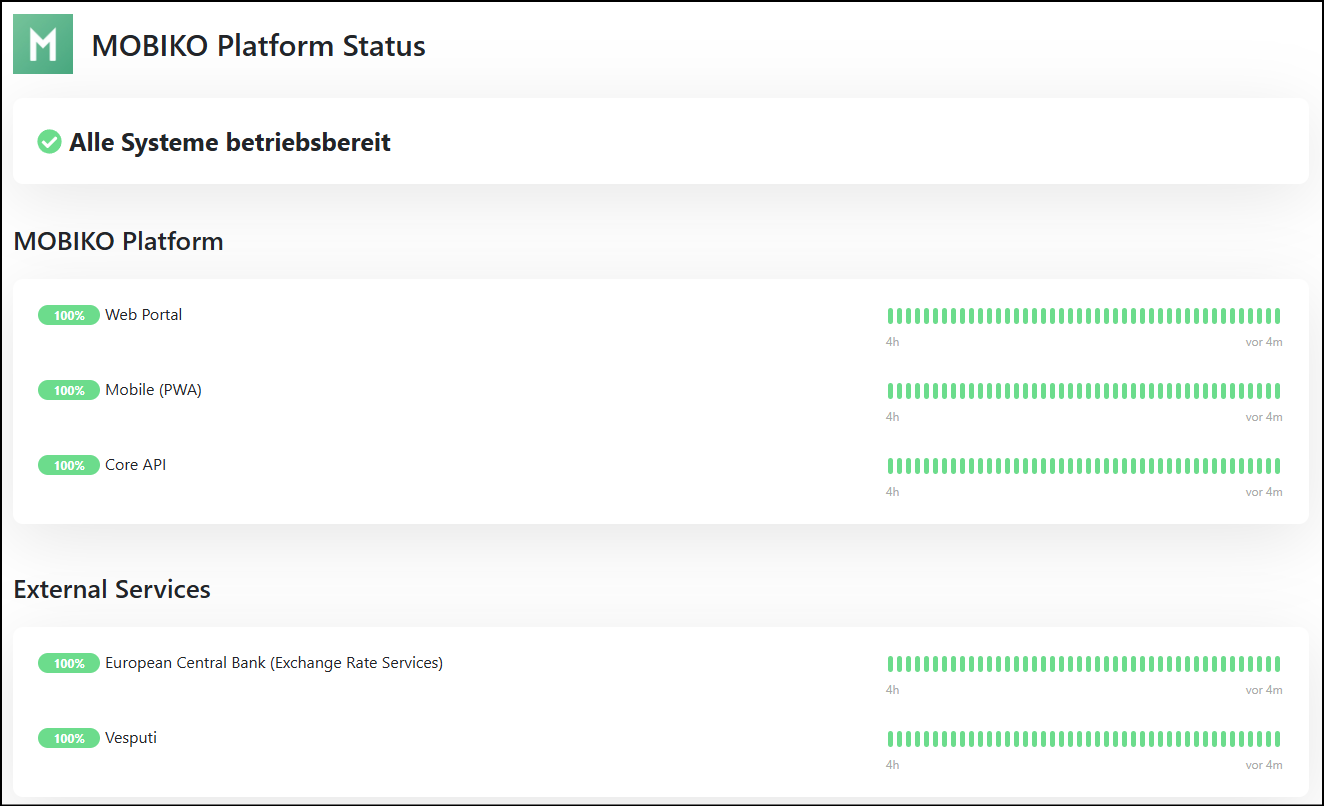
Overview of system status:
MOBIKO Platform
- Web Portal: The website through which users can access MOBIKO.
- Mobile (PWA): The progressive web app version of MOBIKO, which is used on mobile devices.
- Core API: The central interface (API) through which various MOBIKO services and functions communicate with each other.
External Services
- European Central Bank (Exchange Rate Services): An external service that provides exchange rate data and is used by MOBIKO.
- Vesputi: Another external service integrated by MOBIKO that is important for the Germany Job Ticket = ticket provider.
Availability display
- Percentages indicate how stable and accessible the respective service currently is.
- Colored bars visualize the availability history over the last few hours (green = everything is fine, yellow = limited, red = problematic).
What can I do if something is not working?
Please check the status page first. If no disruption is reported there, try the following:
- Restart the app or browser
- Clear the cache
- Use a different device or network
If the problem persists, please contact our support team.
Do I need to change my settings in the event of a disruption?
Usually not. Most disruptions affect our systems and are resolved by our tech team.