
Forgot Your Password – What Can You Do?
You can reset your password yourself at any time – simply via the login page of the app or web app.
- The registration process and app installation must be completed beforehand.
- The reset link is valid for 3 hours. If the link has expired, please repeat the process.
- The email address to which your original invitation was sent is also your -> login email
address.address.
Tip: Use passkeys: If you don't want to enter your password every time, you can set up a passkey the next time you log in – for quick and secure login via Face ID, fingerprint, or device PIN. You can find more information in the section: Logging in with passkeys (Face ID, fingerprint, device PIN) – How does it work?
1. In the MobileMOBIKO Appapp (Smartphonesmartphone or Laptop/Computer)
You can reset your password at any time – directly via the login page of the app or web app.
Important:
The registration process and app installation must be completed beforehand.
The reset link is valid for 3 hours. If it expires, please repeat the process or contact 👉 support@mobiko.de.
The email address your invitation was sent to is also your MOBIKO login email.
📱
laptop)
Open the MOBIKO app on your smartphone or laptop at
👉https://mobile.mobiko.netnet/loginClick on “Forgot your password?”
email field.(highlighted in yellow inbelow thescreenshot):
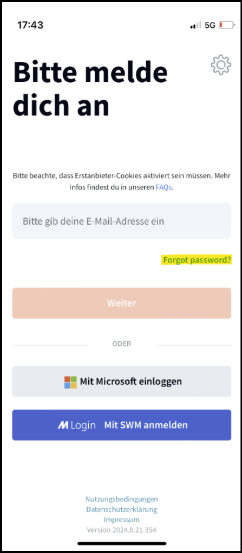
Use the email address you’reyou registered with MOBIKO (usually your businesswork email), and click on “Request email.”
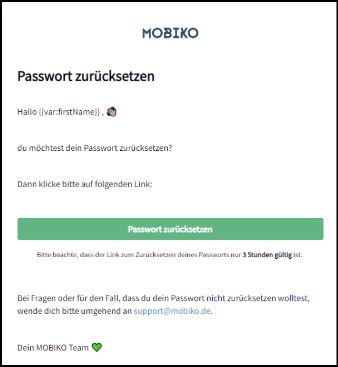
Youfew minutes later, you will receive an email with a link to reset your password within a few minutes.
📌 Note: Please also check your spam folder if you don’tdo not receive thean email.
2. In the Webweb Appapp (on ayour Computer)
💻
laptop)
Open the login
page: 👉page https://app.mobiko.netnet/Click on “Forgot password”
login via Microsoft and SWM.(marked in red inbelow thescreenshot):
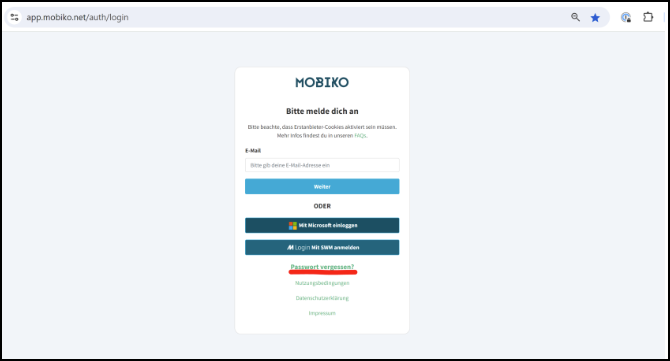
EnterUse the email address you’reyou registered with MOBIKO (usually your business email),email address) and click on “Request email.”
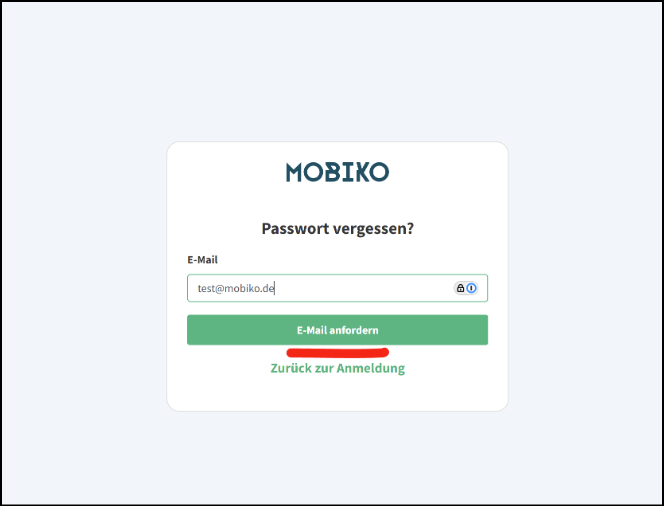
You’llwill also receive an email with thea link to reset your password.
📌 Note: Please also check your spam folder if you don’tdo not receive thean email.
FAQ: Why Amam I Notnot Receivingreceiving a Password Reset Link?
Question:I triedlink to reset my passwordpassword?
but
If didn’tyou do not receive a link.link Why?
Answer:If you’re not receiving a passwordto reset email,your therepassword, couldthis may be severaldue to the following reasons:
❌1. Incorrect email address used:
You mightmay have entered a different email address than the one registeredstored within MOBIKOMOBIKO—for – e.g.example, your private email address instead of your business email.👉 address.
Note: Please double-check that you’veyou have entered the correct address.
🔐2. Single Sign-Onsign-on (SSO) is enabled:SomeIn accountssome arecases, a single sign-on (SSO) procedure is set up withfor Singleyour Sign-On (SSO).account. In thatthis case, no resetpassword link will be sent viaby email.👉email.
Note: Instead, you can simply log in directly using the “Sign in with Microsoft” button or a similar SSO button – nowithout passworda required.password.
Tip:
💡 Tip:
If you’reyou are unsure which email address is stored in your profile or whether SSO is active, pleaseit is the best to contact your administratorcompany oradministrator.